Context Menus
Besides the commands in the layer stack, we can also find some actions in context menus (right-click menus). These menus are different depending on the selection.
- Right-click on the canvas without a selection:
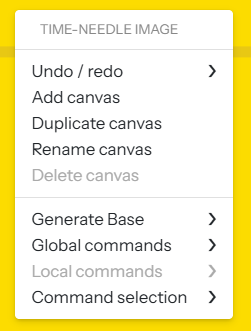
- Undo/ Redo actions
- Add/ duplicate/ rename/ delete canvas
- Generate Base (only available while the command stack is empty)
- Quick access to the command list and possibility of creating a command selection with your favourites.
Right-click on a one-stitch selection:
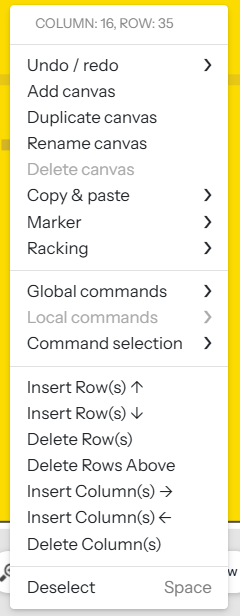
In addition to the ones above, we find access to:
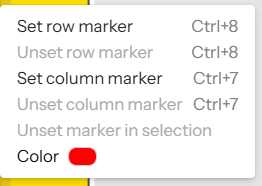
- Marker setting options.
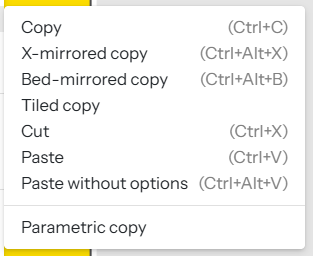
- Copy & paste actions
- Insert/ delete rows/columns. These actions add new layers to the stack.
Deselect
Right-click on a selection of more than one stitch:
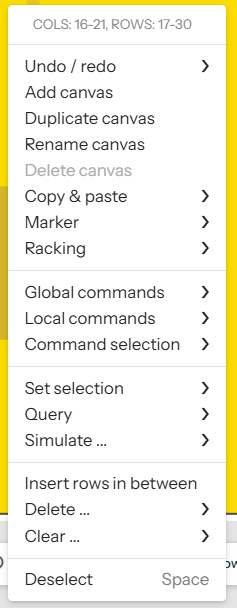
Besides the ones above, the menu includes:
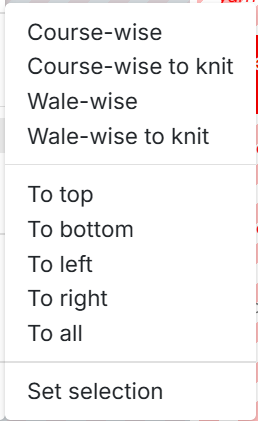
- Set selection: quickly extend a selection in the desired direction
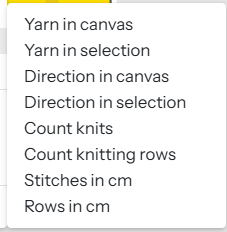
- Query: quickly retrieve requested information within a selection.
- Insert rows in between: to insert a specific number of rows at regular intervals
- Delete/ clear rows: delete or clear a specific row type within the selection